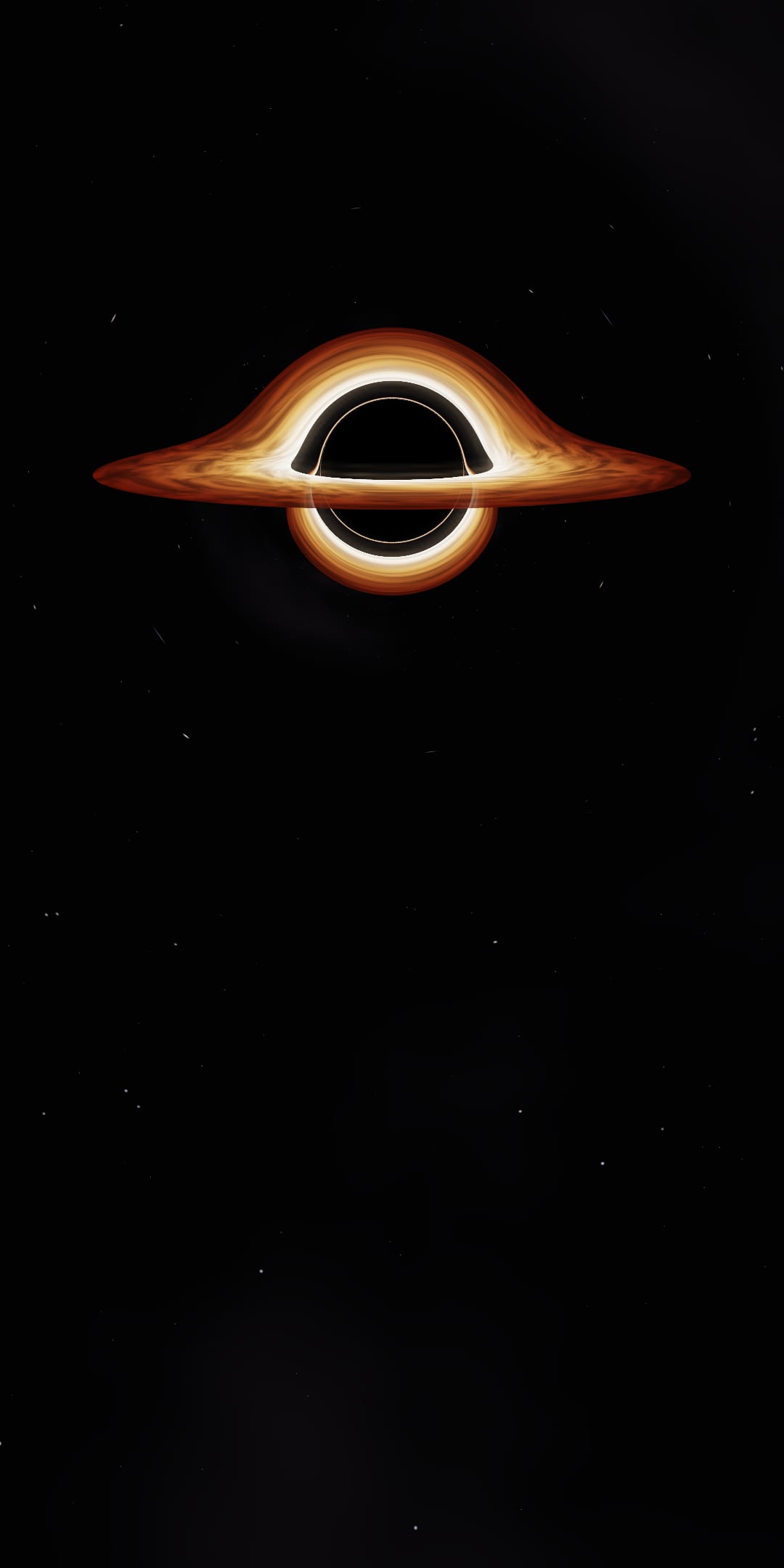
How I rendered this black hole in a browser
A real time black hole behind my portfolio
How it started
Christopher Nolan is my favourite director. By far. With the maker of Inception and Interstellar so I made this website because of how astonishing the scene of Cooper falling past the black hole and the incredible fact that the black hole took DAYS to render.
The look I was aiming for was Gargantua from Interstellar. My main reference was the paper the film’s visual effects team wrote with the physicist Kip Thorne “Gravitational lensing by spinning black holes in astrophysics, and in the movie Interstellar” (James, von Tunzelmann, Franklin and Thorne, 2015). It explains how they traced light round Gargantua and why the film left some real effects out.
The physics
Distances are measured in Schwarzschild radii (r_s = 2GM/c²). This means the event horizon is always at r = 1 no matter the mass. Three other radii shape the picture
r = 1.5is the photon sphere where light can orbit in an unstable circle. Rays that skim it loop round the hole before escaping which draws the thin bright ring at the edge of the shadow.r = 3is the innermost stable circular orbit (ISCO). Gas can’t orbit any closer so the disk’s inner edge sits there.- Any ray aimed within about
2.6 r_sof the centre is captured so the shadow looks about 2.6 times bigger than the horizon itself.
Gargantua in the paper is a spinning (Kerr) black hole. I used the non-spinning case which has much simpler equations but still shows the shadow and the photon ring and the lensed disk.
For light around a non-spinning black hole the path obeys d²u/dφ² + u = (3/2) r_s u² where u = 1/r. Without the right-hand side the solution is a straight line so that one term is general relativity. Solving the full geodesic equations for every pixel would be slow. Instead, I integrate a simpler 3D equation a = −(3/2) h² x / r⁵ which traces exactly the same path shape. Each ray is stepped with RK4 integration, with steps that shrink close to the hole, where paths bend hardest, and shrink again at the photon sphere.
Making the disk look right
The disk runs from 3 to 10 r_s. Its colour follows its temperature, from white-hot at the inner edge to deep red-orange further out. The gas orbits at Kepler’s speed (Ω = √(GM/r³), which is exact for circular orbits around this kind of black hole) so the inner gas laps the outer gas.
That caused a problem. Fast inner gas lapping slow outer gas wound the turbulence pattern into thinner and thinner stripes. I fixed it with two layers of turbulence and each one is carried round for 12 seconds, then fades out while the other takes over.
There are two viewing modes. The film look leaves out Doppler beaming and gravitational redshift as the paper describes the film doing so the image stays readable. The physically accurate mode puts them back and the side of the disk moving towards you turns brighter and bluer and the side moving away dims and reddens.
Making it smooth
Several passes run every frame:
- The ray march renders the black hole usually below screen resolution.
- Temporal anti-aliasing shifts the rays by a fraction of a pixel each frame and blends them into a running average so the photon ring comes out smooth. The average is clamped to nearby colours so moving gas doesn’t leave ghost trails.
- Bloom picks out the brightest light and blurs it and adds it back so the disk and ring glow.
- The final pass upscales and sharpens the image, applies a filmic tone curve (Krzysztof Narkowicz’s fit of the ACES curve) and adds a little film grain to hide colour banding.
The fall
Each section of the page is a waypoint, from 40 r_s at the top to 1.05 r_s at the contact form. Between waypoints the distance changes on a log scale, so each equal bit of scrolling brings you the same factor closer, which feels like steady falling. The lens widens as you fall, because the shadow really does grow to fill half your sky at 1.5 r_s and with a fixed lens the screen would go black long before the end.
The readouts show your distance and two clocks show gravitational time dilation. A clock hovering at r ticks slower than a distant one by √(1 − r_s/r). That’s about 0.82 at the ISCO and 0.22 just above the horizon.
Key decisions and why
I wrote the shader myself instead of using a pre-made effect because I wanted the physics to be real and explainable to an extent of course. I’m no Imperial student yet.
Quality adjusts itself. A controller measures the frame rate and steps the quality up while there’s headroom and steps it down if the device can’t keep up. Once it has stepped down it never steps back up so it can’t flip between two levels. If even the lowest level is too slow, the page fades over to a video.
The video and poster are recorded from the live shader itself, so all three versions match. Every motion in the shader repeats exactly every 12 seconds, so the video loops seamlessly.
The page’s Content Security Policy blocks inline scripts and eval. Nothing in the renderer needs them, so I left them blocked.
What broke and how I fixed it
The first-visit freeze came from shader compilation. Three.js was compiling every shader twice. Once for drawing to the screen and once for drawing to an off-screen buffer. The second compile surprised the browser and froze the page. Telling Three.js the output was already linear made the two versions identical and the renderer now waits until every shader has finished compiling before it draws a single frame.
The hardware acceleration problem had two parts. The page now checks whether WebGL is being drawn by software (SwiftShader or Microsoft’s Basic Render Driver) and goes straight to the video if it is. If a slow device gets past that check, the frame-rate controller gives up within a few seconds instead of trying every quality level. Measured in Brave with hardware acceleration off, the page went from freezing for 47 to 70 seconds to playing the video in under a second.
For some reason the frosted glass panels were another hidden cost. Their blur is redrawn over the moving background every frame, so on slow devices the panels switch to plain dark glass. With software rendering, that took scrolling from about 20 fps to 50 to 60 fps.
What I’d do differently
- Aim the quality controller at the screen’s refresh rate instead of a fixed 50 fps. On a 165 Hz screen, the frame rate drops to about 70 fps near the bottom of the page, where each frame costs more.
- Add a spinning (Kerr) black hole like Gargantua in the paper. Spin changes the shape of the shadow and moves the ISCO.
- Use a real temperature profile and blackbody colours for the disk instead of a three-colour gradient.
Thank you
Thank you to the Three.js project, and to Krzysztof Narkowicz for the ACES tone curve fit used in the final pass. Reference: O. James, E. von Tunzelmann, P. Franklin and K. S. Thorne, “Gravitational lensing by spinning black holes in astrophysics, and in the movie Interstellar”, Classical and Quantum Gravity 32, 065001 (2015).